| Welcome, Guest |
You have to register before you can post on our site.
|
| Online Users |
There are currently 16 online users.
» 0 Member(s) | 15 Guest(s)
Baidu
|
| Latest Threads |
Updated JOTAC ADMIN/MOD c...
Forum: ::News & Information::
Last Post: SgtMudd-AS-
09-23-2026, 11:23 PM
» Replies: 0
» Views: 2
|
Classic 'Leeroy Jenkins!'...
Forum: ::Jokes & Funny Stuff::
Last Post: SgtMudd-AS-
09-04-2026, 04:02 AM
» Replies: 0
» Views: 2
|
WolfRAT2+ Moderator and P...
Forum: ::Joint Operations - JOTAC::
Last Post: SgtMudd-AS-
07-11-2026, 02:18 AM
» Replies: 0
» Views: 34
|
Donations to keep our ser...
Forum: ::News & Information::
Last Post: SgtMudd-AS-
07-07-2026, 07:55 AM
» Replies: 0
» Views: 3
|
Happy New Year!
Forum: ::News & Information::
Last Post: SgtMudd-AS-
01-01-2026, 07:03 AM
» Replies: 0
» Views: 2
|
Pwnin' n00bs =P
Forum: ::Joint Operations - JOTAC::
Last Post: SgtMudd-AS-
12-31-2025, 12:11 AM
» Replies: 0
» Views: 3
|
America's Army Downloads ...
Forum: ::America's Army 2.8.5::
Last Post: SgtMudd-AS-
11-26-2025, 04:02 AM
» Replies: 1
» Views: 32
|
Delta Force 2 player comm...
Forum: ::Delta Force 2::
Last Post: SgtMudd-AS-
11-26-2025, 03:17 AM
» Replies: 0
» Views: 6
|
Joint Operations: Tactica...
Forum: ::News & Information::
Last Post: SgtMudd-AS-
11-21-2025, 07:11 AM
» Replies: 0
» Views: 4
|
Joint Operations Revival
Forum: ::Joint Operations - JOTAC::
Last Post: SgtMudd-AS-
11-21-2025, 12:09 AM
» Replies: 0
» Views: 32
|
|
|
| New Members! |
|
Posted by: SgtMudd-AS- - 05-18-2025, 06:33 AM - Forum: ::News & Information::
- No Replies
|
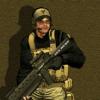 |
The AssaultSnipers would like to welcome Cpt.Ken and JackSpector to the team!
Cpt.Ken is a veteran DF2 player and JackSpector is fairly new to DF2 and also plays America's Army with us!
Welcome guys!
|

|
|
| Windows 10/11 DF2 Graphics Fix |
|
Posted by: SgtMudd-AS- - 05-18-2025, 05:29 AM - Forum: ::Delta Force 2::
- No Replies
|
|
WINDOWS 10/11 GRAPHICS FIX FOR DF2:
From my experience testing both 'fixes', DXwnd (More difficult to setup) seems to work the best for me. It is less laggy and more accurate in-game. It does NOT make DF2 full screen! It will 'limit' your view of DF2, kind of like a window. On the other side, dgVooDoo does render DF2 full screen but in my testing, it seems to lag my mouse or video.
First try the dgVoodoo2_86_5.zip file from our DF2 downloads: HERE (Easiest)
Quote:dgVooDoo 2 install instructions:
- Unzip dgVoodoo2_86_5.zip
- Navigate to where you extracted dgVoodoo2_86_5.zip (Ex: C:\Users\yourname\Downloads\dgVoodoo2_86_5)
- In the \MS\ folder: copy the four (4) .dll files into your DF2 game folder (where the DF2.exe is)
- NOTE: ONLY copy the four (4) *.dll files from the dgVoodoo2_86_5\MS\ folder!
- Run the game as usual
If that doesn't work for you, delete the 4 .dll files you added from dgVoodoo 2 and try DxWind:
Quote:From: https://sourceforge.net/projects/dxwnd/
- Download DxWnd-v2_06_07_build.zip and DXWnd_file_for_DF2.zip from our DF2 downloads: HERE
- Extract DXWnd_file_for_DF2.zip and put the extracted file in your DF2 folder.
- Unzip DxWnd-v2_06_07_build.zip to your desktop or a folder of your choosing and run dxwnd.exe (You may need to create a desktop shortcut for dxwnd.exe)
- Right click on the dxwnd.exe file and find 'Properties' then 'Compatibility' and set 'Run as administrator'.
- In DXWnd - Go to Menu -> File -> Import and select DXWnd_file_for_DF2.dxw file in your DF2 folder.
- Right click on DF2 - > Modify to modify the path to your DF2.exe file and click OK and remember to save the settings.
- Good to go, now just remember to start DXWnd before running DF2, or run DF2 from within DXWnd.
Enjoy playing DF2 again
Tyr Anasazi
The files are also available at: https://mirrors.mach-hosting.com/df2/
|
|
|
|
|